

Help / CRM
Add and import contacts
Keep every buyer and seller in one place.
-
Open Contacts
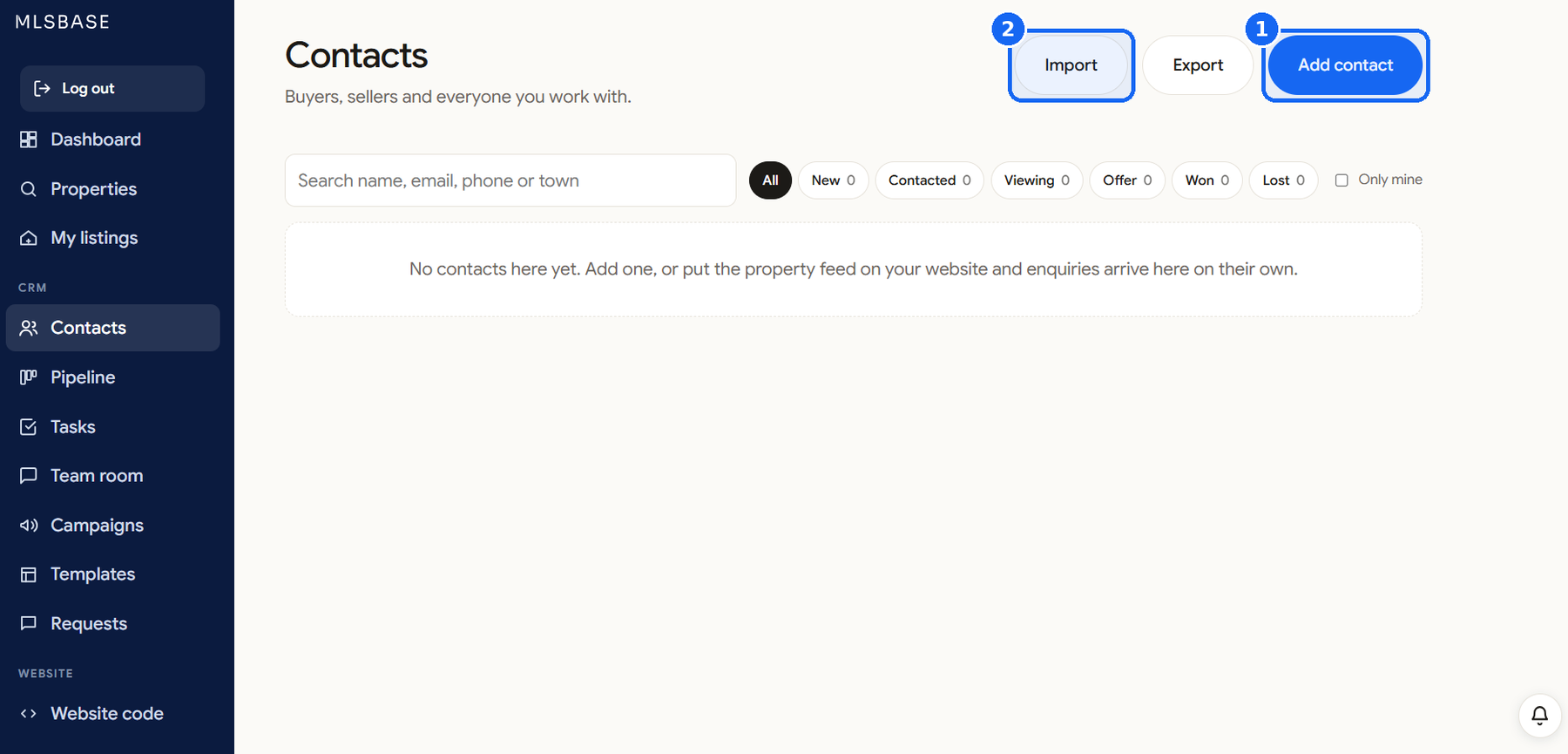
Click Contacts in the left menu.
-
Add one contact
Click Add contact. Enter the name, type, email and phone, the stage, and what they look for: budget, bedrooms and towns.
-
Import a list
Click Import, choose your spreadsheet, check that the columns match, and confirm that these people agreed to hear from you. Then click Import.
-
Enquiries arrive by themselves
Buyers who write from your listing pages or your website appear here as new contacts with a task to reply.
Good to know
Only import people who agreed to be contacted. MLSBASE asks you to confirm it.