

Hilfe / Your website
Show listings on your website
Paste one line of code and your listings appear on your site, with your enquiry form.
-
Open Website code
Click Website code in the left menu.
-
Choose a design
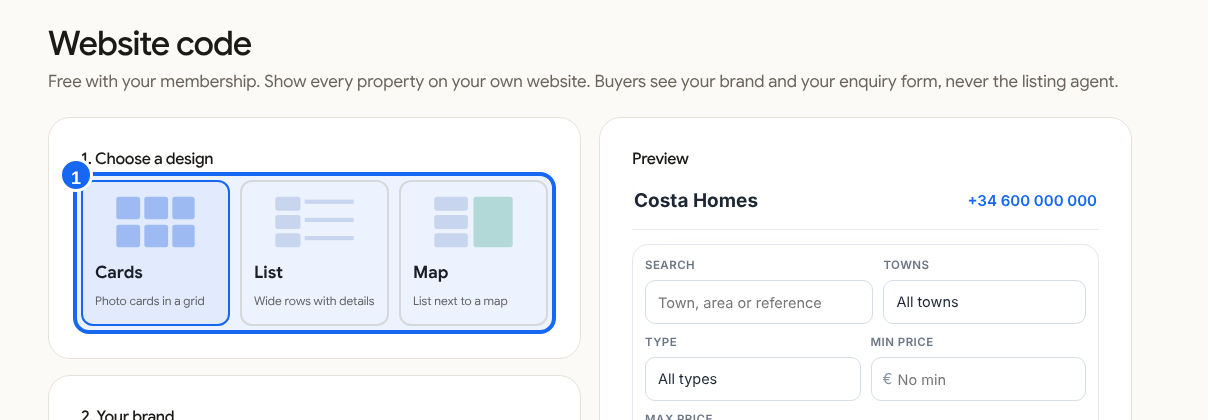
Pick Cards, List or Map under "1. Choose a design". The Preview shows it.
-
Copy the code
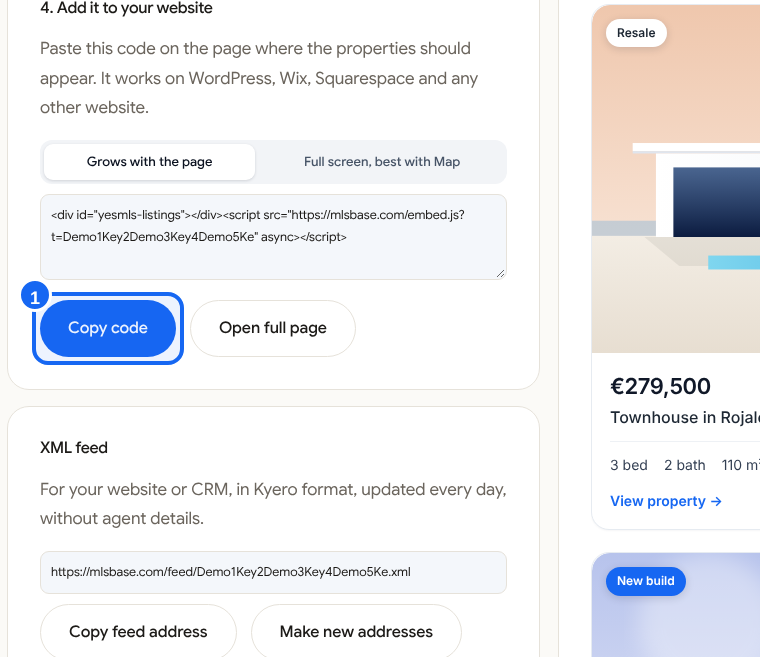
Under 4. Add it to your website choose Grows with the page or Full screen, best with Map, then click Copy code.
-
Paste it on your page
In your website editor add a Custom HTML block and paste the code. Publish the page.
-
Check it
Open the page. You see your listings with search and a map. Buyers who write arrive in your CRM.